
What you will get
An understanding of why these three fields, tucked away at the end of the General tab, change how the whole system behaves.
The address
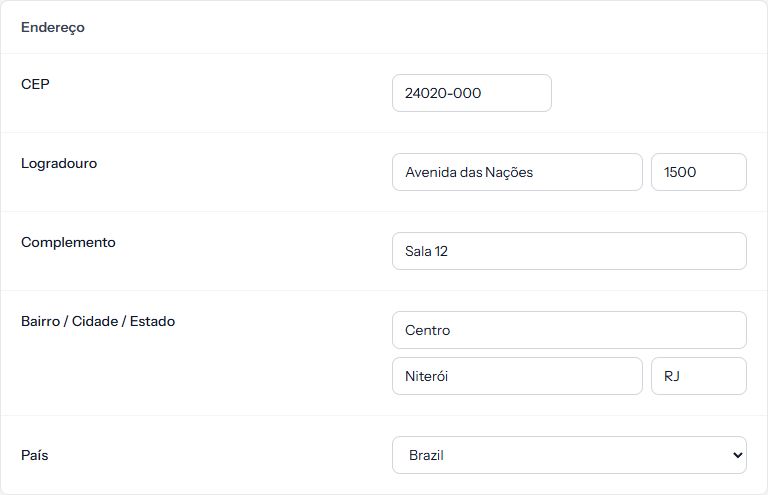 The school's address goes into generated contracts. Country is the field that pulls the other two along. The screenshot is from the Portuguese panel; the layout is the same in English.
The address appears in the contract, identifying the institution as the contracting party. It can also appear in the student portal's footer, if you switch that on in the Student Portal tab.
Localisation
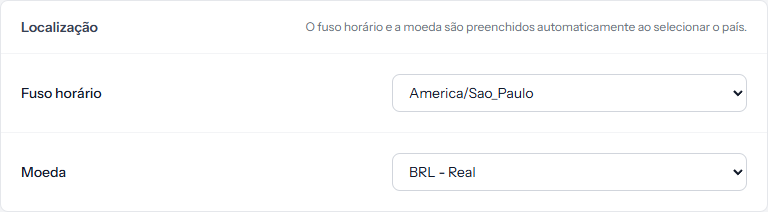 The line on the right explains the shortcut: Timezone and currency are auto-filled when you select a country.
Pick the country first. The other two fill themselves in, and most schools never need to touch them.
What the currency changes
Everything that shows money. The symbol and the number format change across every screen at once: price tables, instalments, the panel, the generated contract, emails.
Three options: BRL - Real, USD - Dollar and EUR - Euro.
Changing the currency converts nothing. A plan priced at 1,000 becomes 1,000 in the new currency, not the converted equivalent. If the school changes currency, every price needs reviewing one by one.
What the timezone changes
The clock time at which the automatic routines run for your school. The system has fixed hours — charges issued early in the morning, overdue marking in the small hours — and the timezone is what translates those into the time on your wall.
It is also the timezone that decides which day counts as "today" when comparing against a due date. In a school with the wrong timezone, an instalment can be marked overdue a day early or a day late.
When to change this later
Almost never — and that is a good thing. The legitimate cases:
- The school moved country or state, and the timezone moved with it.
- The school started selling in another currency. Here the work of reviewing prices is unavoidable, and the field is the smallest part of it.
How you know it worked
Save, then open any screen with money on it — the instalment list will do. The symbol changed on every row at once.
If something goes wrong
I picked the country and the timezone did not change. The auto-fill only happens at the moment you pick the country. If a timezone was already stored, choose it from the list.
The amounts look wrong after switching currency. They were not converted, only redisplayed. Review the prices.
Reviewed on · view as plain text