
What you will get
The student showing up in the class environment when they did not get there on their own. On the enrolment screen, the Moodle sync field shows the state, and the Re-sync Moodle button at the top tries again.
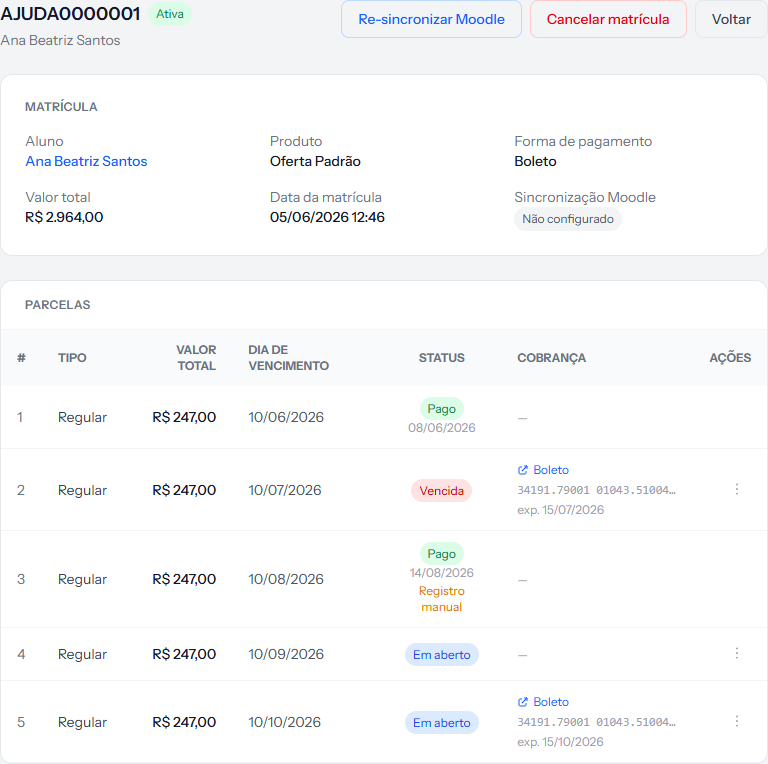 The indicator sits on the last line of the details panel. The re-sync button is up in the header.
What the indicator says
| Indicator | What it means |
|---|---|
| Synced | The student was sent and arrived |
| Failed | The attempt was made and errored |
| Not configured | The attempt was never even made |
Not configured is the most common case, and it is almost never a technical failure: it is missing configuration.
Before clicking the button, check three things
The send only happens when all three hold at once:
- The integration is active under Integrations › LMS Platforms.
- The enrolment has a cohort picked. With no cohort, the system does not even try.
- The cohort has its Moodle cohort ID filled in. That field is what links the two sides.
Clicking re-sync without settling all three changes nothing. The order above is the order to check in.
What the button does
It puts the enrolment back in the send queue. The response is immediate — Moodle re-sync queued. — but the send happens shortly after, not in the same second.
Reload the screen in a moment to watch the indicator change.
When to use it
- After filling in the Moodle cohort ID on a cohort that lacked one.
- After changing the enrolment's cohort — the sync does not follow on its own.
- After an outage of the class environment is resolved.
How you know it worked
The Moodle sync field switches to Synced. On the other side, the student appears in the cohort matching the class.
If something goes wrong
It still says "Not configured" after re-syncing. One of the three conditions still does not hold. The second and third account for nearly every case.
It says "Failed". The attempt went out and the other side refused. Check the connection under Integrations › LMS Platforms.
The student is in the cohort but sees no course. That one is on the class environment's side: the cohort has to be attached to the courses.
The button is missing. The integration is not active for your school.
Reviewed on · view as plain text