
What you will get
The three rules the whole school will follow when charging. They are the only numbers in the wizard you will want to revisit after a few months of use.
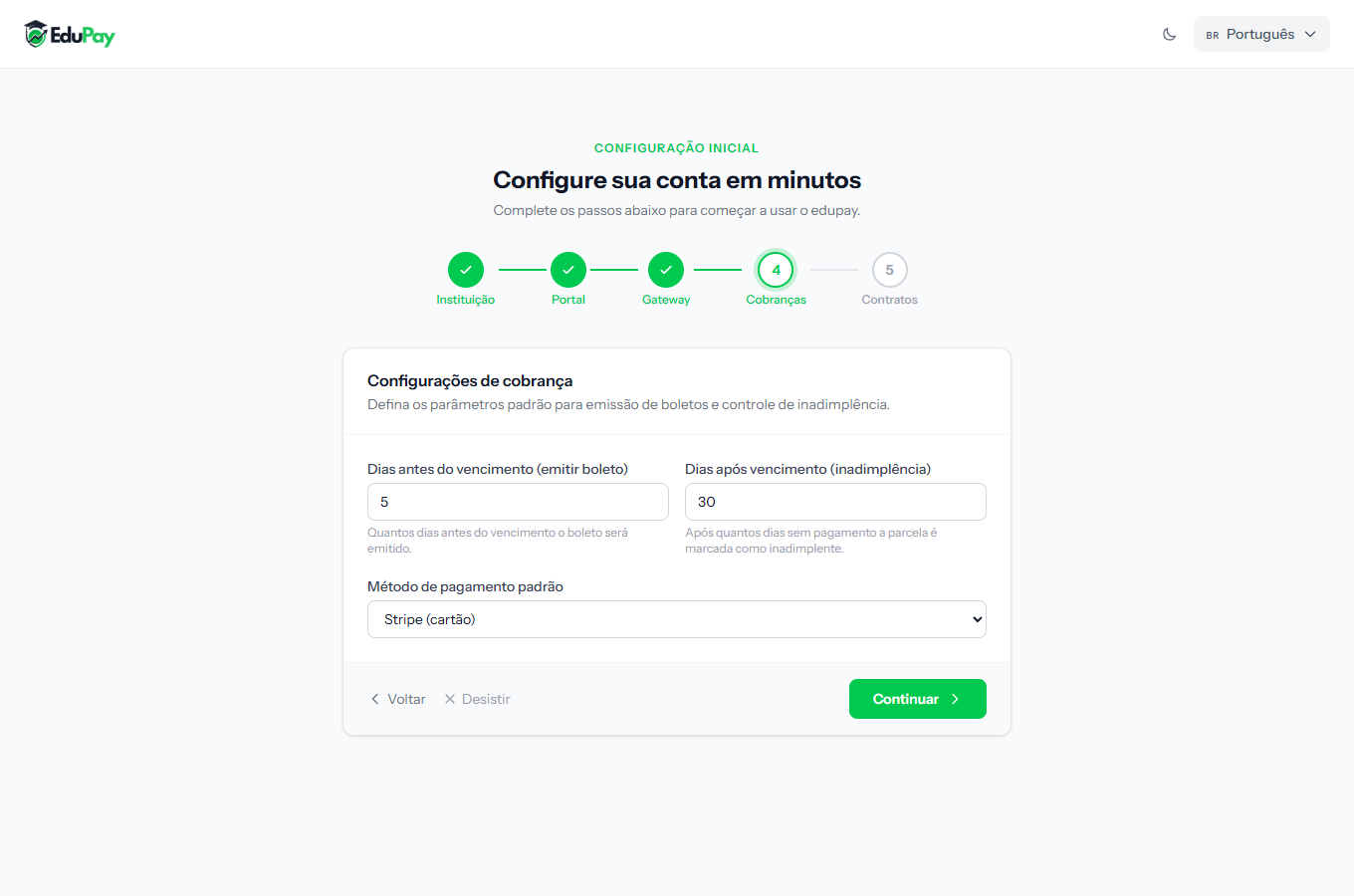 Three fields, three independent decisions. All adjustable later under Settings.
The three fields
Days before due date (issue invoice)
How many days ahead the overnight routine generates the charge and sends it to the student.
- Few days (2 or 3) keep the slip fresh in the hands of someone who forgets easily.
- Many days (7 or 10) give room to whoever has to ask someone else for the money first — common when the person studying is not the person paying.
Days after due date (overdue)
How many days of delay the school tolerates before treating it as arrears.
Watch out for a common confusion: this number does not decide when the installment shows as Overdue on screen. That always happens the day after the due date, with no grace period. What this field controls is the next step up — among other things, when the student loses access to the class environment, if your school uses that integration.
Default payment method
Which payment method comes pre-selected when you create a new enrollment. The options are Stripe (card), Bank slip and PIX.
It is only a suggestion: on each enrollment you can pick another. Put the method most of your students use here, so you type less.
How to tell it worked
The ruler marks Billing with a green mark and the wizard moves on to the last step. The same three fields live afterwards under Settings, on the billing tab.
If something goes wrong
I do not know what numbers to put. Start with what is suggested and adjust after two or three months, once you know how your students actually pay. None of these numbers is final.
I changed the lead time and nothing happened. The change applies to future issuing. Anyone who already has a slip does not get another.
I chose card as the default but want a slip for this student. The method is chosen on each enrollment; the default only fills the field in for you. On an installment that has no charge issued yet, you can change the method later from the installment's menu: Change to Bank slip, Change to PIX or Change to Credit card.
Reviewed on · view as plain text