
What you will get
The Student Portal address set. It is the page where a student logs in to see their contract, download a payment slip and follow their installments — and the address goes into every email the school sends.
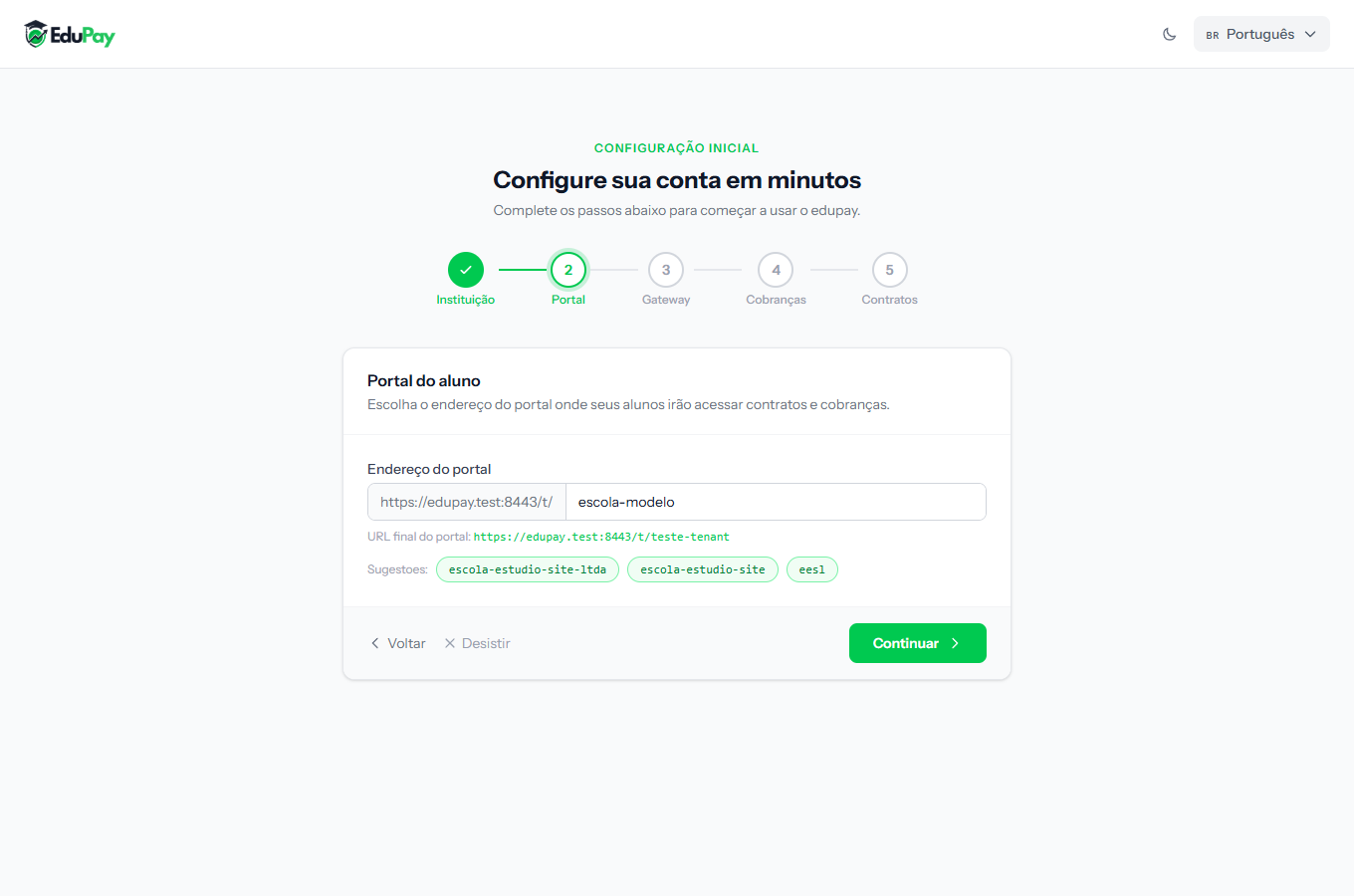 The start of the address is fixed. You only choose the final part, which identifies your school.
What to type in the field
You do not type the whole address — only the part that identifies the school. The beginning is already there, fixed.
A good ending is short, without accents and recognisable: the nickname the
school is known by, not its legal name. If the school is called "Estrela do Norte
Educational Centre" but everyone says "Estrela do Norte", use something like
estrela-do-norte.
Lowercase letters, numbers and hyphens only. No spaces, no accents, no dots.
Think twice before continuing
This address is hard to change later. It goes into emails students have already received, into signed contracts, and into the link families have saved in their browser. Changing it rewrites none of that — the old links stop working.
Treat it like the school's website address: choose once, choose well.
Step by step
1. Type the final part of the address, with the school's nickname.
2. Read the complete address that forms on screen, start to finish, the way the student will read it.
3. Click Continue.
How to tell it worked
The ruler marks Portal with a green mark and the wizard moves on. Once everything is finished, open the full address in a new tab: you should see the student login screen, with your school's name on it.
If something goes wrong
The system rejects the address I chose. Either it is already taken by another school, or it has a character that is not allowed. Try a variation — adding the city usually does it.
I chose badly and already finished the wizard. It can be changed under Settings, but read the warning above first: the old links stop working.
A student says the link does not open. Check that they copied the whole address. The starting part is just as necessary as the part you chose.
Reviewed on · view as plain text