
What you will get
A change of payment conditions without touching anyone already enrolled. The short answer is reassuring:
Touching a plan touches no existing enrolment. Instalments are created at enrolment time, with that day's numbers, and they stay put.
What editing a plan affects
| What you change | What happens to old enrolments |
|---|---|
| Number of instalments | Nothing |
| Due day | Nothing |
| Enrollment fee | Nothing |
| Accepted payment methods | Nothing |
| Plan name | Nothing shows — but the enrolment stays linked to that plan |
Worth knowing: the enrolment screen does not show which plan was used. It shows the product, the payment method, the amount and the instalments. The plan sits underneath, linking the enrolment to the condition it was sold under.
That is why editing an old plan is a bad idea: nothing breaks on the spot, but the condition that applied last year stops existing anywhere you can look it up.
Deactivating
Open the plan under Edit, change Status to Inactive and save.
The plan leaves the picker when creating an enrolment, and stays on the plans list with a grey tag. Enrolments made with it carry on as normal.
It is reversible at any time.
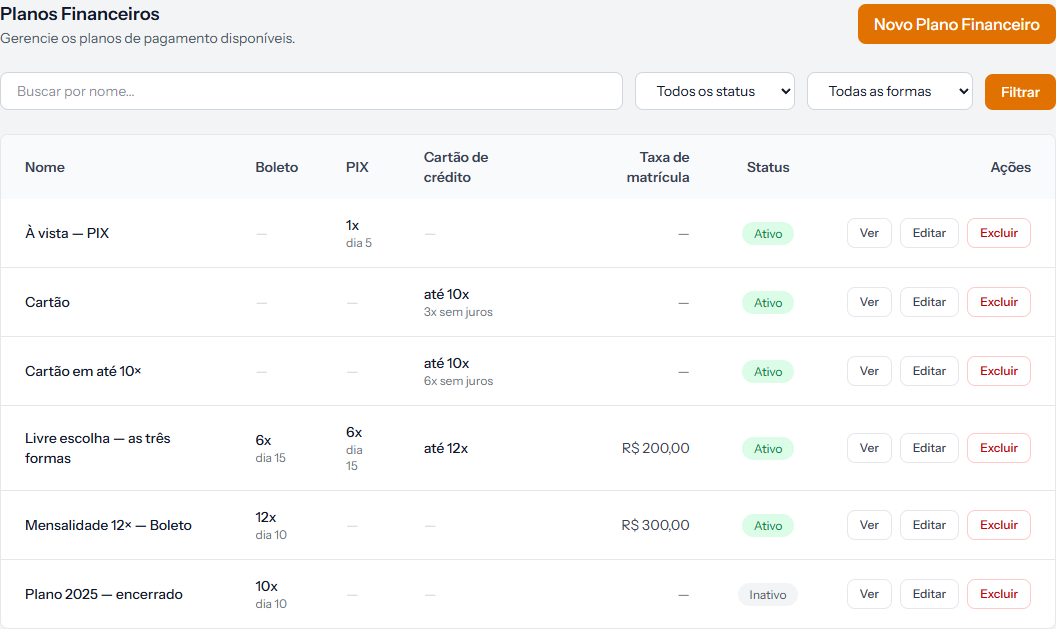 "Plano 2025 — encerrado" stays on the list, with the Inativo tag. It is simply no longer offered when enrolling.
Raising prices, the safe way
When the school raises its prices, the temptation is to edit the existing plan. Do not — old enrolments stay linked to that plan, and after the edit it no longer describes the condition they were sold under.
The path that preserves the history:
- Create a new plan with the period in its name: 12× monthly — bank slip 2027.
- Deactivate the old one, renaming it to make it clear: 12× monthly — bank slip 2026.
- Enrol new students on the new plan.
Anyone already enrolled feels nothing, and two years from now you can still tell which condition applied in which year.
Deleting
The Delete button exists, and the same caution as the other registries applies: it does not check whether enrolments use the plan, and there is no undo from the screen.
Deactivate instead of deleting. Save deletion for the plan created by mistake.
How you know it worked
Open an old enrolment after touching the plan: amount, instalment count and dates are exactly as they were. That is how it should be.
If something goes wrong
You want to change the instalments for one particular student. The plan does not solve that. It is handled on the enrolment itself.
The deactivated plan is still on the list. Expected: it leaves where selling happens, not the registry. Use the status filter to separate them.
You want to know which plan a student was enrolled under. The enrolment screen does not show it. One more reason for the plan name to carry the year.
Reviewed on · view as plain text