
What you will get
An incomplete submission sent back in a way the student understands and gets right on the second attempt.
Where the button is
Not in the queue. Open the enrolment — from the queue, through View — and use Reject upload, the red button in the contract panel.
The window
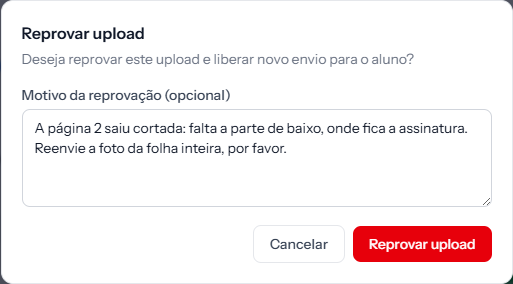 The field is Rejection reason (optional), and it is the only thing the student will read. It holds 500 characters. The screenshot is from the Portuguese panel; the layout is the same in English.
The field is optional, but rejecting with no reason is rejecting twice: the student gets the contract back without knowing what to fix, and sends the same thing again.
Write what was missing and what to do:
Page 2 came out cropped: the bottom is missing, where the signature is. Please send a photo of the whole sheet.
Not:
Incorrect document.
Confirm with Reject upload.
What happens
- The contract goes back to Pending, and the upload area reappears for the student.
- The row leaves the queue, and the menu counter drops by one.
- It is recorded in the audit trail as an Upload rejected event.
- The previous files disappear from the screen. The Files submitted by student list goes empty — there is no way to look back at what you rejected. If you need to keep it, download it before rejecting.
The student is not notified
No email goes out on rejection. The student only finds out when they sign in to the portal of their own accord.
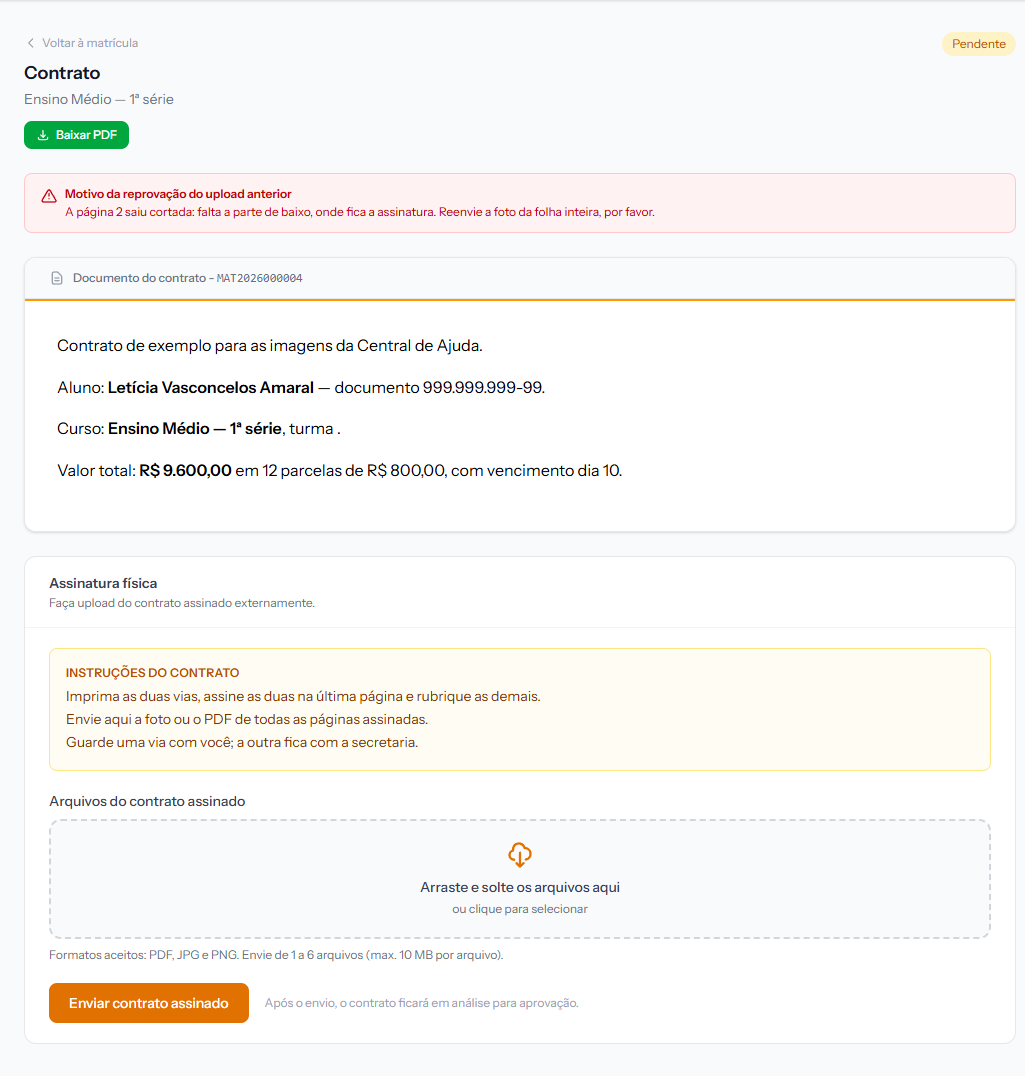 The red Reason for previous upload rejection box sits at the top of the contract screen, above the document.
In practice this means a rejection needs a phone call or a message from you. Rejecting and waiting is the recipe for an enrolment that stalls for weeks.
Rejecting has no limit
The student can upload again, and you can reject again, as many times as needed. The audit trail keeps every round trip.
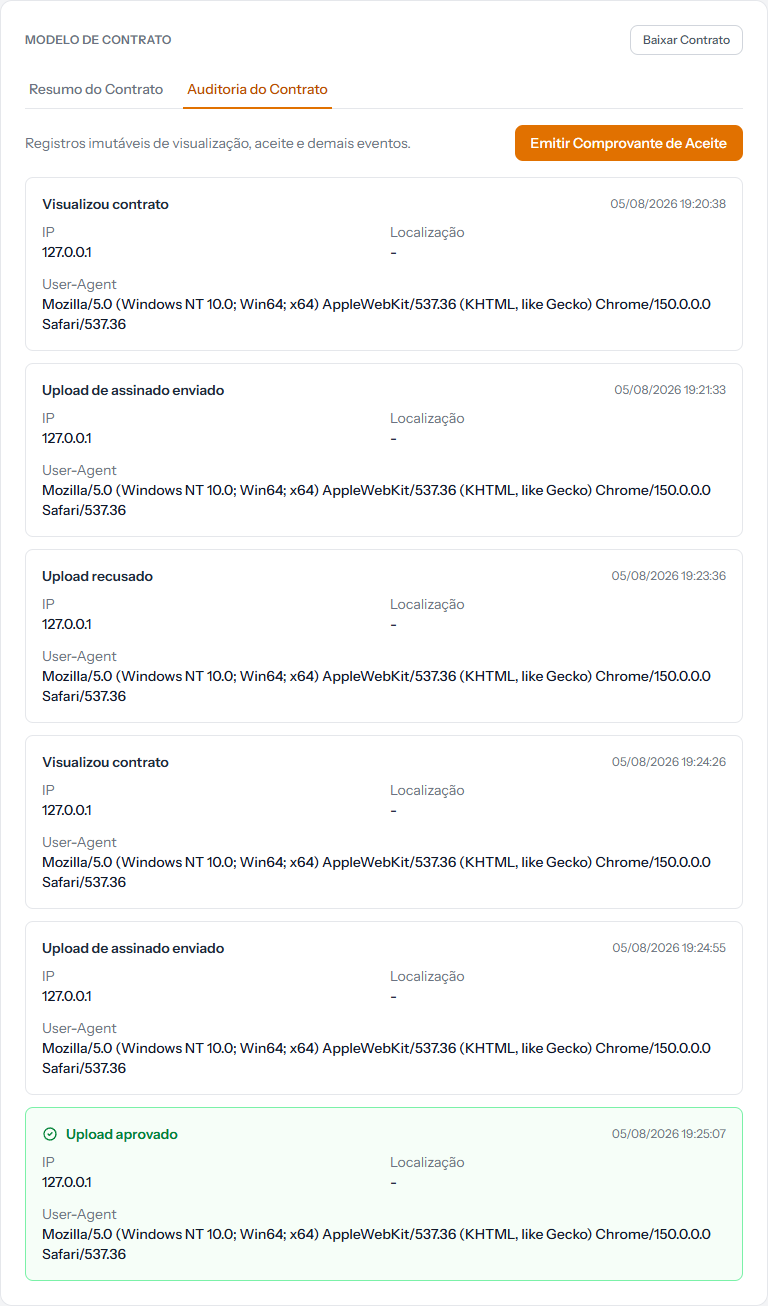 One rejection and one re-upload, on the Contract Audit tab. Every attempt leaves its own row.
The rejection reason does not appear in the audit trail. The row says only Upload rejected. The text you wrote goes to the student, not into the school's history. Logged for correction.
How you know it worked
The green banner reads Upload rejected. The student can submit again., and the contract label goes back to Pending.
If something goes wrong
The Reject upload button is not there. It only exists while the contract is in Awaiting moderation. Once approved, there is nothing left to reject.
You rejected and you needed the file. It does not come back through the screen. Always reject after downloading.
The student re-sent exactly the same thing. The reason never reached them, or it was not clear. Call, explain, and write the reason in more detail next time.
Reviewed on · view as plain text