
What you will get
Back to work. This article is about you, at the school — for a student who cannot get into the portal, the diagnosis is a different one.
The message that appears
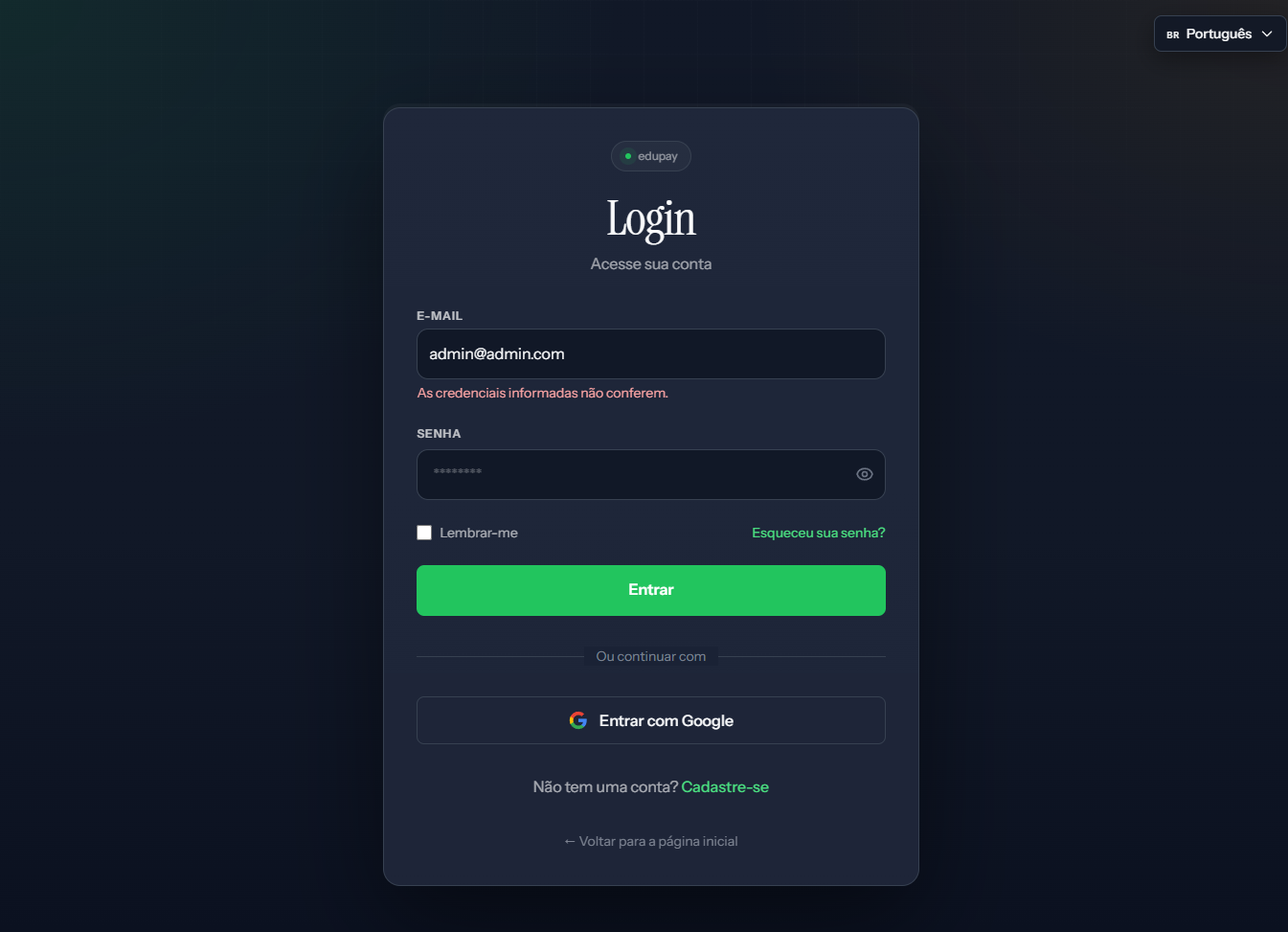 The wording is As credenciais informadas não conferem. and it appears under the email field even when the password is the problem. The screenshot is from the Portuguese panel; the layout is the same in English.
The message is identical for a wrong email and a wrong password. It does not help you tell them apart — and that is deliberate, so as not to confirm to strangers which addresses have accounts.
In order
1. Is the email right? Use the same one you receive system messages at. A similar address on a different domain is the most common cause.
2. Use the forgot-password link — it sits just below the password field. It is faster than anything else and depends on nobody.
3. Do you sign in with Google? If the account was created that way, signing in with email and password may not work. Try the Google button.
4. Have you accepted an invitation to this school? An invitation sent but not accepted creates no access. Ask the school owner to check.
I got in, but the button I need is not there
This is the case that most looks like a defect and is not. The system has two roles, and they see different screens:
| School owner | Team | |
|---|---|---|
| Create and edit students, offerings, cohorts and tracks | ✓ | ✓ |
| Enrol, charge, review signatures | ✓ | ✓ |
| Delete a student, offering, cohort or track | ✓ | — |
| Price tables and contract templates | ✓ | — |
| School settings | ✓ | read only |
| Cancel an enrolment | ✓ | — |
When permission is missing, the button is not greyed out — it is not on the screen at all. If a colleague says they have a button you do not, it is almost always a role difference.
Roles are changed by the school owner, on the members screen.
I can sign in but land on the wrong school
Anyone looking after more than one school has one account per school. Check which institution is open at the top of the panel before concluding the data has vanished.
If none of that helps
The sign-in screen will not load. Confirm the system address. An old link, saved before some change, may no longer exist.
Password recovery does not arrive. Check spam. If it is not there, the email may differ from what you remember — and then only the school owner can sort it out.
You are the owner and lost access. That is a case for a support ticket. The article alongside shows what to include so it is solved on the first reply.
Reviewed on · view as plain text